Industry News
 2026.11.20
 Industry News
Shoppers comparing clippers usually look at motor power and blade sharpness. The way the two blades sit against each other gets less notice, even though a small shift can change how cleanly hair comes off. It matters for a quick trim at home and for regular upkeep of a short style.
With the moving and fixed blades lined up, hair is cut evenly and meets little resistance. Out of line, they can produce patchy trimming, pulling, snagging, and extra friction. This guide covers how alignment affects an LCD Hair Clipper, how to recognize problems, and where USB charging and quiet operation fit in.
Blade alignment describes where the fixed blade and the moving blade sit relative to each other. The motor pushes the moving blade side to side across the stationary one, and hair is cut where the teeth meet. Spacing and position between the two have to stay right for the results to stay consistent.
Electric clippers typically use two blades. One stays put, and the other oscillates quickly, shearing hair that slips between the teeth. Each must be seated correctly, or hair will not feed into the cutting area smoothly.
A blade out of position stops the mechanism from working as designed. Depending on the model and how far off the blade is, you might see uneven cutting or feel more drag.
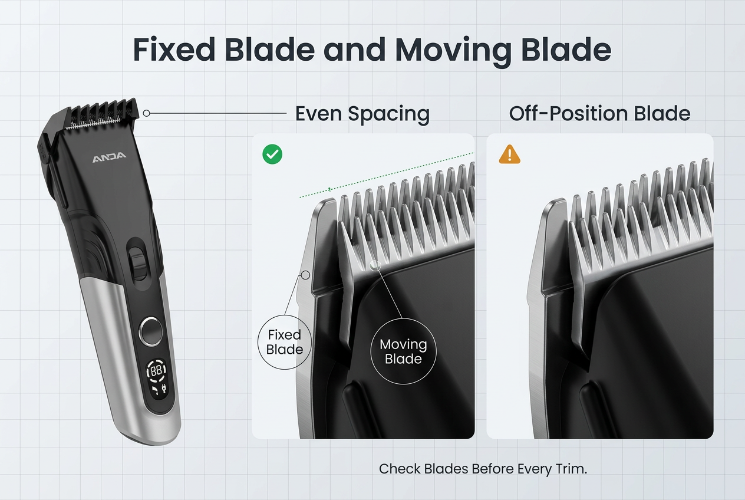
When alignment is correct, contact and clearance between the edges stay steady. Friction remains low, the blades cooperate, and the clipper responds in a way you can predict.
Careful blade assembly is part of the build quality in an LCD Hair Clipper. The display is a useful addition, but the cut itself still comes down to blade design, sharpness, alignment, and the motor.
Alignment bears directly on cutting quality, and a strong motor cannot fully cover for poorly seated blades. Four areas show the effect clearly.
Ears, neckline, and sideburns leave little room for error. Aligned blades cut the same way on every stroke, so hair comes off evenly and edges look sharper.
If the blades sit wrongly, some hairs never reach the cutting area. The finish turns ragged, and you end up going over the same spot again. For detail work, weigh alignment alongside sharpness and length settings.
Few things spoil a haircut like a clipper that tugs. Edges that are dull, damaged, dirty, or badly positioned can trap hair between the blades rather than cutting it.
Correct alignment lowers the odds of snagging tied to blade position. It is not the only cause. Hair buildup, dry blades, a tired motor, and thick hair all play a role, and a smoother cut comes from watching each of them.
An even result depends on the clipper behaving the same way across the whole head. Well-seated blades hold a uniform pace, which helps with short styles, blended lengths, and crisp outlines.
Misaligned blades make some areas harder to level. You repeat strokes and lose time. Proper alignment makes the outcome easier to anticipate.
A comfortable cut needs more than accuracy. The clipper should travel over the scalp without dragging or irritating the skin.
Blades that sit wrongly add friction and can interrupt the cutting action, which may appear as vibration, pulling, or general discomfort. Correct installation, regular cleaning, and a drop of oil keep things running smoothly. Frequent users tend to notice the difference quickly.
Misalignment affects cutting quality and the overall condition of the clipper. Catching the signs early can head off bigger repairs.
Inconsistent cutting is a common warning sign. When the blades do not sit properly, some hairs slip through uncut and the finish looks uneven.
Certain sections may need several passes. Dull blades, an unsuitable guide comb, or rushed technique produce the same symptoms, so check the whole cutting system before pointing at alignment.
Blades pressing too hard against moving parts create friction and unfamiliar sounds. These stand apart from the steady hum of a healthy clipper.
A Low Noise Hair Clipper keeps sound down through motor design, internal construction, and vibration control. A quiet running sound does not prove the blades are aligned, though. If the clipper turns louder or starts to vibrate, inspect the blades and nearby parts.
A struggling cutting mechanism needs extra passes to finish the same job. The haircut drags on longer than it should.
Keep the blades correctly positioned, clear out trapped hair, and oil the edges as the manufacturer advises. Those three habits help the clipper hold its normal performance.
Regular care keeps a clipper in working order. Basic checks need no special tools, but the manufacturer's instructions come first.
Switch the clipper off and unplug the charging cable. Look over the fixed and moving blades for damage, looseness, or odd positioning, and confirm the assembly is secure.
Teeth are not always meant to sit perfectly flush, since designs differ in alignment and safety clearance. Bent, damaged, or badly fitted blades mean the clipper should stay unused until the problem is fixed.
Loose hair and debris get in the way of blade movement. Cleaning regularly cuts friction and keeps the cut steady. After a haircut, a simple routine works well:
Oil eases friction between the moving and fixed surfaces. Apply clipper oil as directed, stick to the suggested amount, and wipe off any excess that collects around the blades.
Well-oiled blades glide, wear more slowly, and can run quieter.
Blade structure and installation methods differ from one clipper to another. Leave the blade screws alone unless you know the recommended setup, because a wrong adjustment can expose too much blade and irritate the skin.
If the blades loosen, get damaged, or clearly sit out of line, read the manual or contact the manufacturer.
Alignment is one consideration among several. A good clipper pairs dependable cutting parts with features that make routine grooming easier.
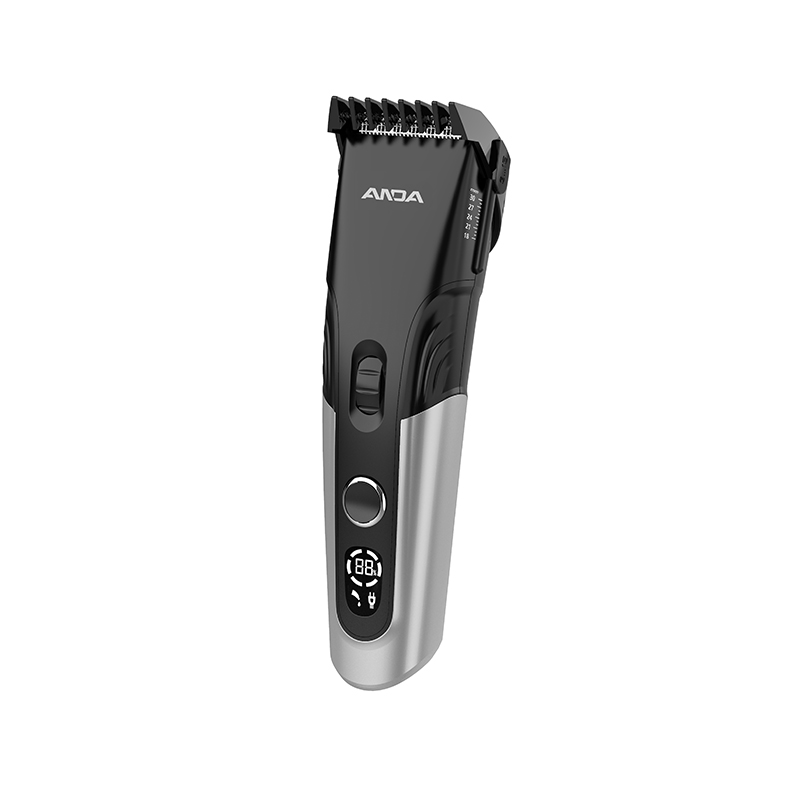
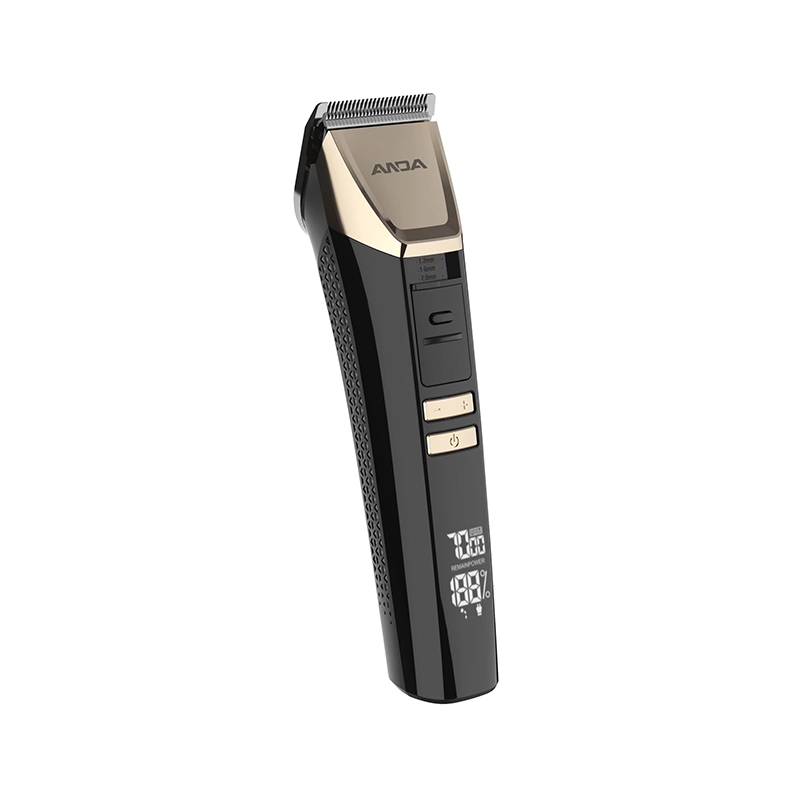
An LCD display reports how the device is running. Depending on the model, it can show battery level, speed settings, or other details, so there is no need to guess how much charge is left.
It remains a convenience feature. The screen says nothing direct about alignment or precision, and cutting quality still rests on blade structure, build accuracy, sharpness, and motor design.
A USB Rechargeable Hair Clipper can charge without a dedicated proprietary charger, as long as the device supports the relevant USB connection. That suits home grooming, travel, and daily use.
Before buying, compare battery capacity, charging time, expected runtime, and charging requirements. Following the maker's charging advice helps the battery last. USB charging only describes how power gets in, so it has no effect on cutting strength or alignment.
Noise becomes a real concern for anyone who cuts hair at home on a regular basis. A Low Noise Hair Clipper aims to lower operating sound and make grooming calmer.
Volume depends on motor construction, vibration control, blade contact, and internal assembly. Good blade care helps by reducing friction. Families and shared households often appreciate the quieter sound, particularly when trimming children's hair.
Blade material, sharpness, and build quality all shape performance. Well-made blades hold their edge and work smoothly with the moving mechanism.
When comparing models, look at blade material, ease of cleaning, replacement availability, and upkeep needs. Durable construction plus correct alignment gives a dependable base for steady cutting.
A well-designed clipper still needs careful handling. A few consistent habits improve the experience.
Different styles call for different lengths. Select a suitable guide comb and attach it firmly before starting. If the target length is uncertain, begin long and shorten in steps.
The guide comb sets hair length. Alignment influences how well the blades do their work.
Move the clipper steadily and avoid pressing hard. Slow down through thick or dense sections, and let the blades work with controlled strokes.
For detailed areas, use a suitable guide comb or trimming attachment and follow the manufacturer's recommendations.
Regular care protects cutting performance. Clean the blades after each haircut, oil them when needed, and inspect the cutting assembly now and then.
Store the clipper somewhere clean and dry, and follow the recommended charging practices. These steps protect the blades and extend the life of the device.
Blade alignment plays a genuine part in how well a clipper cuts. Properly placed blades support precise trimming, steadier results, and a smoother session, while poor positioning can bring pulling, snagging, uneven cutting, and added friction.
When choosing an LCD Hair Clipper, evaluate the whole cutting system rather than one feature. Blade quality, assembly precision, motor performance, and ease of upkeep all shape the outcome. Extras such as USB charging and quiet operation make everyday grooming easier and more comfortable.
Proper alignment, routine cleaning, light lubrication, and careful operation help maintain consistent performance and support a neat haircut at home.

No.377. Fourth Avenue, Binhai Park, Economic-Technological Development Zone, Wenzhou, Zhejiang, China.

+86-577-88912812

+86-577-88912822

anda1@andaelectric.com
anda6@andaelectric.com
anda7@andaelectric.com
Copyright © Zhejiang Anda Electric Co., Ltd. Rights Reserved.
Electric Hair Clipper Manufacturer



 English
 Español
 русский